Start the inference child process server
The primary way to run browser automations locally is via the inference child process server inoptexity/inference/child_process.py.
From the repository root:
--port: HTTP port the local inference server listens on (e.g.9000).--child_process_id: Integer identifier for this worker. Use different IDs if you run multiple workers in parallel.
GET /health– health and queue statusGET /is_task_running– whether a task is currently executingPOST /inference– main endpoint to allocate and execute tasks (see next section)
Call the /inference endpoint
With the server running on http://localhost:9000, you can allocate a task by sending an InferenceRequest to /inference.
Request schema
InferenceRequest (from optexity/schema/inference.py) has this shape:
endpoint_name: Name of the automation endpoint to execute. This must match a recording/automation defined in the Optexity dashboard.input_parameters:dict[str, list[str]]– all input values for the automation, as lists of strings.unique_parameter_names:list[str]– subset of keys frominput_parametersthat uniquely identify this task (used for deduplication and validation). Only one task with the sameunique_parameter_nameswill be allocated. If nounique_parameter_namesare provided, the task will be allocated immediately.
Example curl request
- Forwards the request to your control plane at
api.optexity.comusingINFERENCE_ENDPOINT(defaults toapi/v1/inference). - Receives a serialized
Taskobject from the control plane. - Enqueues that
Tasklocally and starts processing it in the background. - Returns a
202 Acceptedresponse like:
Task execution (browser automation, screenshots, outputs, etc.) happens asynchronously in the background worker. You can see it running locally in your browser.
Monitor health and execution
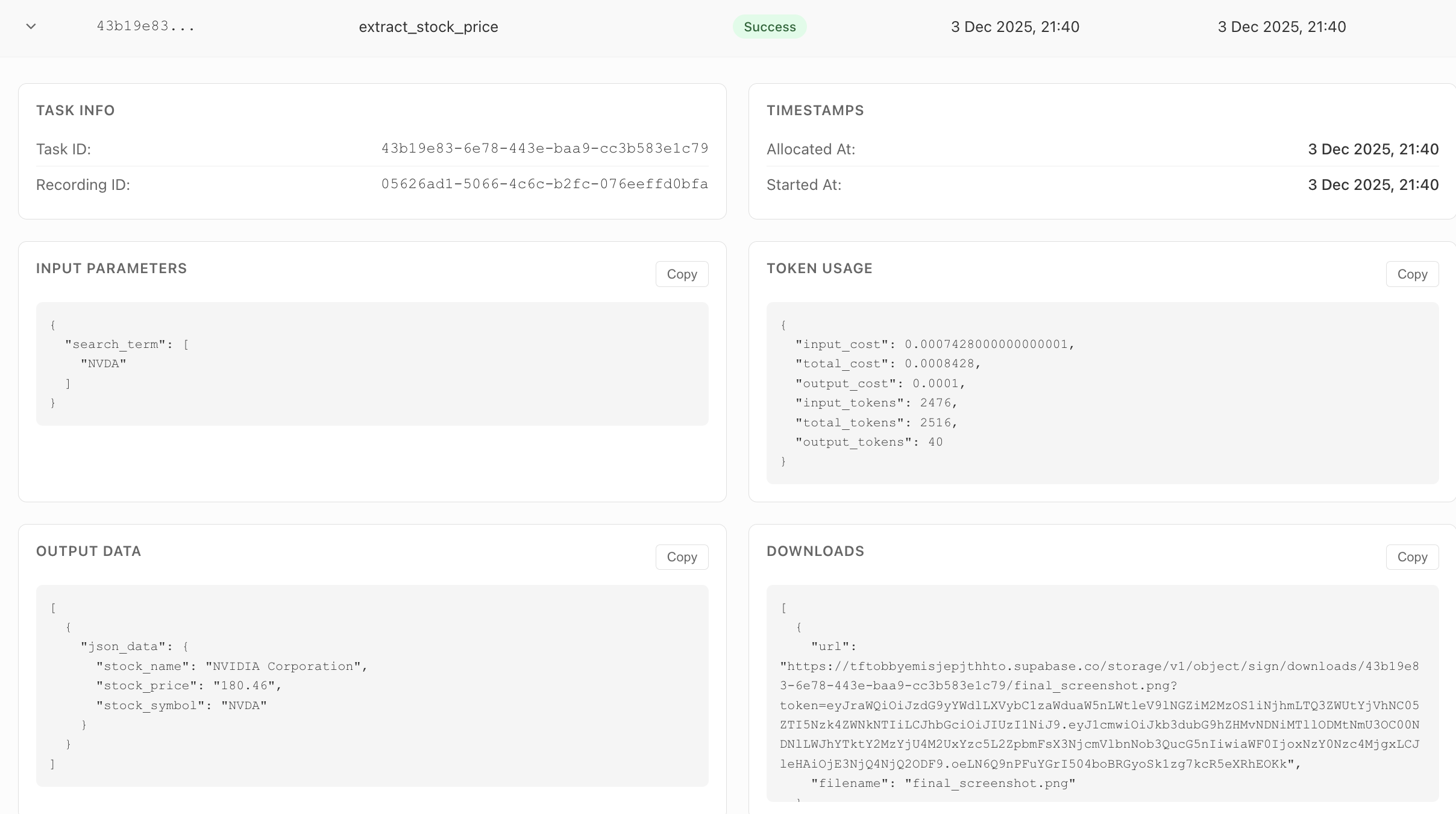
You can monitor the task on the dashboard. It will show the status, errors, outputs, and all the downloaded files.