This example shows how to automate the I‑94 recent travel history lookup and extract the result data from a network call, instead of scraping the page. The automation:
  • Opens the I‑94 site
  • Fills the traveler details (name, nationality, DOB, document number)
  • Handles a scroll‑to‑accept popup using a Python script action
  • Submits the form and extracts the result from a network request
Use network call extraction pattern any time a site exposes a clean JSON API behind the UI. It is usually simpler and more stable than DOM-based scraping. Network call extraction is faster and more reliable than DOM scraping.
Before starting, please look at the Local Setup guide to setup the environment.

Quickstart using built-in automation

You can use the built-in i94 automation to quickly start the inference server and run the automation. The automation is available in the repository under optexity/examples/i94.py.

Add automation to the dashboard

To quickly add the automation to the dashboard, you can use the following command:
ENV_PATH=.env python optexity/examples/add_example.py --example i94
The .env file should be created in the root of the repository in the Local Setup guide. This will add the automation to your dashboard. I94 Automation

Run the i94 automation via inference

For a detailed explanation of the inference server, see the Quickstart guide. Below is the minimal flow to run this example.

Start the inference server

From the project root:
ENV_PATH=.env python optexity/inference/child_process.py --port 9000 --child_process_id 0

Invoke the i94 endpoint

You can call the i94 automation via the /inference endpoint:
curl -X POST http://localhost:9000/inference \
  -H "Content-Type: application/json" \
  -d '{
    "endpoint_name": "i94",
    "input_parameters": {
      "first_name": ["John"],
      "last_name": ["Doe"],
      "nationality": ["IND"],
      "date_of_birth": ["01/01/1990"],
      "document_number": ["1234567890"]
    },
    "unique_parameter_names": []
  }'
While the request runs, the browser will execute the steps on your behalf. When the run finishes, you can:
  • Inspect the task run and extracted data in the dashboard
  • Re‑use the extracted JSON in downstream systems

Viewing the task run

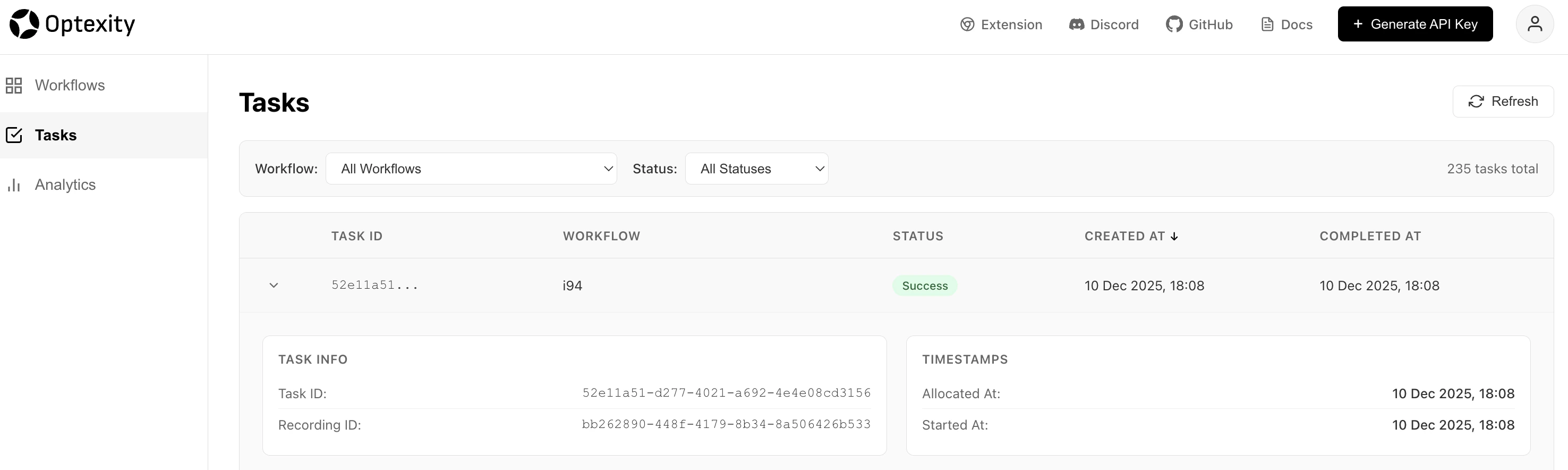
You can view the task run in the https://dashboard.optexity.com. The task run will show the steps that were executed and the extracted data. I94 Task Run

I94 Travel History

A similar automation is available for retrieving full travel history instead of just recent travel records. The get_i94_travel_history automation follows the same pattern but uses different endpoints:
  • URL: https://i94.cbp.dhs.gov/search/history-search
  • Network extraction: https://i94.cbp.dhs.gov/api/services/travel/history

Add automation to the dashboard

ENV_PATH=.env python optexity/examples/add_example.py --example get_i94_travel_history

Invoke the get_i94_travel_history endpoint

curl -X POST http://localhost:9000/inference \
  -H "Content-Type: application/json" \
  -d '{
    "endpoint_name": "get_i94_travel_history",
    "input_parameters": {
      "first_name": ["John"],
      "last_name": ["Doe"],
      "nationality": ["IND"],
      "date_of_birth": ["01/01/1990"],
      "document_number": ["1234567890"]
    },
    "unique_parameter_names": []
  }'
The automation structure is identical to the recent search example, with only the URL and network call pattern differing. The full Python definition lives in optexity/examples/i94_travel_history.py.

Build the automation from scratch

Record the base workflow

  1. Go to the I‑94 site and record a workflow that:
    • Navigates to the recent‑search page
    • Fills in first name, last name, nationality, date of birth, and document number
    • Submits the form and waits for the result
  2. After saving, you will see an i94 automation in your dashboard that contains only the interaction actions (clicks, fills, selects). We have also built this automation by default and you can find it in your dashboard.
I94 Automation

Refine the automation

Recording captures clicks and inputs, but you still need to:
  • Tighten some interaction instructions
  • Add a network‑call extraction action
  • Add a Python script to handle the scroll‑to‑accept popup

Clarify the nationality selection

In the recorded flow, the nationality selection might not have a precise locator. You can let the model drive the selection using prompt_instructions:
{
    "end_sleep_time": 1,
    "interaction_action": {
        "click_element": {
            "prompt_instructions": "Select {nationality[0]} from the options. Be careful to select the correct option, which will be of the format `nationality (code)`."
        }
    }
}
If a command is not provided, Optexity uses prompt_instructions to decide how to perform the action.

Add a network‑call extraction action

To capture the I‑94 result, add an extraction_action that listens for the specific network call:
{
    "before_sleep_time": 3,
    "end_sleep_time": 0,
    "extraction_action": {
        "network_call": {
            "url_pattern": "https://i94.cbp.dhs.gov/api/services/i94/recent"
        }
    }
}
This action waits for the matching network request and returns its JSON payload as structured extracted data.
Tip: If extraction does not fire, verify the url_pattern in your browser devtools Network tab and make the pattern as specific as needed (path + query if required).

Scroll the popup via Python script

The I‑94 site requires scrolling inside a popup before the “I ACKNOWLEDGE AND AGREE” button becomes clickable. Use a python_script_action to scroll the popup content:
{
    "end_sleep_time": 1,
    "python_script_action": {
        "execution_code": "async def code_fn(page):\n    print(\"entering code_fn\")\n    await page.evaluate(\n        \"\"\"  const el = document.querySelector('mat-dialog-content');  if (el) el.scrollTop = el.scrollHeight;\"\"\"\n    )\n    print(\"exiting code_fn\")\n"
    }
}
The full Python definition for this automation lives in optexity/examples/i94.py. You can also use the optexity dashboard to edit the automation and save it as a new automation.
Note: Script actions run in the same browser context as the page. They are ideal for edge cases like scrolling a specific container, dismissing tricky popups, or calling custom JS helpers.

Final Automation

{
    "url": "https://i94.cbp.dhs.gov/search/recent-search",
    "nodes": [
        {
            "end_sleep_time": 1,
            "before_sleep_time": 3,
            "python_script_action": {
                "execution_code": "async def code_fn(page):\n    print(\"entering code_fn\")\n    await page.evaluate(\n        \"\"\"  const el = document.querySelector('mat-dialog-content');  if (el) el.scrollTop = el.scrollHeight;\"\"\"\n    )\n    print(\"exiting code_fn\")\n"
            }
        },
        {
            "end_sleep_time": 1,
            "interaction_action": {
                "click_element": {
                    "command": "get_by_role(\"button\", name=\"I ACKNOWLEDGE AND AGREE\")",
                    "prompt_instructions": "Click the I ACKNOWLEDGE AND AGREE button"
                }
            }
        },
        {
            "end_sleep_time": 1,
            "interaction_action": {
                "input_text": {
                    "command": "get_by_role(\"textbox\", name=\"Please enter your first name\")",
                    "input_text": "{first_name[0]}",
                    "prompt_instructions": "Enter the First Name"
                }
            }
        },
        {
            "end_sleep_time": 1,
            "interaction_action": {
                "input_text": {
                    "command": "get_by_role(\"textbox\", name=\"Please enter your last name\")",
                    "input_text": "{last_name[0]}",
                    "prompt_instructions": "Enter the Last Name"
                }
            }
        },
        {
            "end_sleep_time": 1,
            "interaction_action": {
                "input_text": {
                    "command": "get_by_role(\"textbox\", name=\"Date of Birth\")",
                    "input_text": "{date_of_birth[0]}",
                    "prompt_instructions": "Enter the Date of Birth"
                }
            }
        },
        {
            "end_sleep_time": 1,
            "interaction_action": {
                "input_text": {
                    "command": "get_by_role(\"textbox\", name=\"Please enter your document\")",
                    "input_text": "{document_number[0]}",
                    "prompt_instructions": "Enter the Document Number"
                }
            }
        },
        {
            "end_sleep_time": 1,
            "interaction_action": {
                "input_text": {
                    "command": "get_by_role(\"combobox\", name=\"Please enter your document\")",
                    "input_text": "{nationality[0]}",
                    "prompt_instructions": "Enter the Nationality"
                }
            }
        },
        {
            "end_sleep_time": 1,
            "interaction_action": {
                "click_element": {
                    "prompt_instructions": "Select {nationality[0]} from the options. Be careful to select the correct option. which will be of the format `nationality (code)`"
                }
            }
        },
        {
            "end_sleep_time": 1,
            "interaction_action": {
                "click_element": {
                    "command": "get_by_role(\"button\", name=\"Click to submit the form\")",
                    "prompt_instructions": "Click the Submit button"
                }
            }
        },
        {
            "end_sleep_time": 0,
            "before_sleep_time": 3,
            "extraction_action": {
                "network_call": {
                    "url_pattern": "https://i94.cbp.dhs.gov/api/services/i94/recent",
                    "extract_from": "response",
                    "download_filename": "185dfa24-7d2c-40d2-9f39-2515976e59a4"
                }
            }
        }
    ],
    "parameters": {
        "input_parameters": {
            "last_name": ["Last Name"],
            "first_name": ["First Name"],
            "nationality": ["IND"],
            "date_of_birth": ["MM/DD/YYYY"],
            "document_number": ["Document Number"]
        },
        "generated_parameters": {}
    },
    "browser_channel": "chrome"
}