> ## Documentation Index
> Fetch the complete documentation index at: https://docs.optexity.com/llms.txt
> Use this file to discover all available pages before exploring further.
# Running first inference
This guide assumes you have already completed the steps in [local setup guide](/docs/building-automations/local-setup).
You should have already [recorded your first automation](/docs/getting_started/recording-first-inference) and saved it as a recording in the Optexity dashboard.
## Start the inference child process server
The primary way to run browser automations locally is via the inference child process server in `optexity/inference/child_process.py`.
From the repository root:
```bash theme={null}
optexity inference --port 9000 --child_process_id 0
```
Key parameters:
* **`--port`**: HTTP port the local inference server listens on (e.g. `9000`).
* **`--child_process_id`**: Integer identifier for this worker. Use different IDs if you run multiple workers in parallel.
When this process starts, it exposes:
* `GET /health` – health and queue status
* `GET /is_task_running` – whether a task is currently executing
* `POST /inference` – main endpoint to allocate and execute tasks (see next section)
## Call the `/inference` endpoint
With the server running on `http://localhost:9000`, you can allocate a task by sending an `InferenceRequest` to `/inference`.
### Request schema
`InferenceRequest` (from `optexity/schema/inference.py`) has this shape:
* **`endpoint_name`**: Name of the automation endpoint to execute. This must match a recording/automation defined in the Optexity dashboard.
* **`input_parameters`**: `dict[str, list[str]]` – all input values for the automation, as lists of strings.
* **`unique_parameter_names`**: `list[str]` – subset of keys from `input_parameters` that uniquely identify this task (used for deduplication and validation). Only one task with the same `unique_parameter_names` will be allocated. If no `unique_parameter_names` are provided, the task will be allocated immediately.
A minimal JSON example:
```json theme={null}
{
"endpoint_name": "extract_price_stockanalysis",
"input_parameters": {
"search_term": ["NVDA"]
},
"unique_parameter_names": []
}
```
### Example `curl` request
```bash theme={null}
curl -X POST http://localhost:9000/inference \
-H "Content-Type: application/json" \
-d '{
"endpoint_name": "extract_price_stockanalysis",
"input_parameters": {
"search_term": ["NVDA"]
},
"unique_parameter_names": []
}'
```
On success, the inference server:
1. Forwards the request to your control plane at `inference-api.optexity.com` using `INFERENCE_ENDPOINT` (defaults to `api/v1/inference`).
2. Receives a serialized `Task` object from the control plane.
3. Enqueues that `Task` locally and starts processing it in the background.
4. Returns a `202 Accepted` response like:
```json theme={null}
{
"success": true,
"message": "Task has been allocated"
}
```
> Task execution (browser automation, screenshots, outputs, etc.) happens asynchronously in the background worker. You can see it running locally in your browser.
## Monitor health and execution
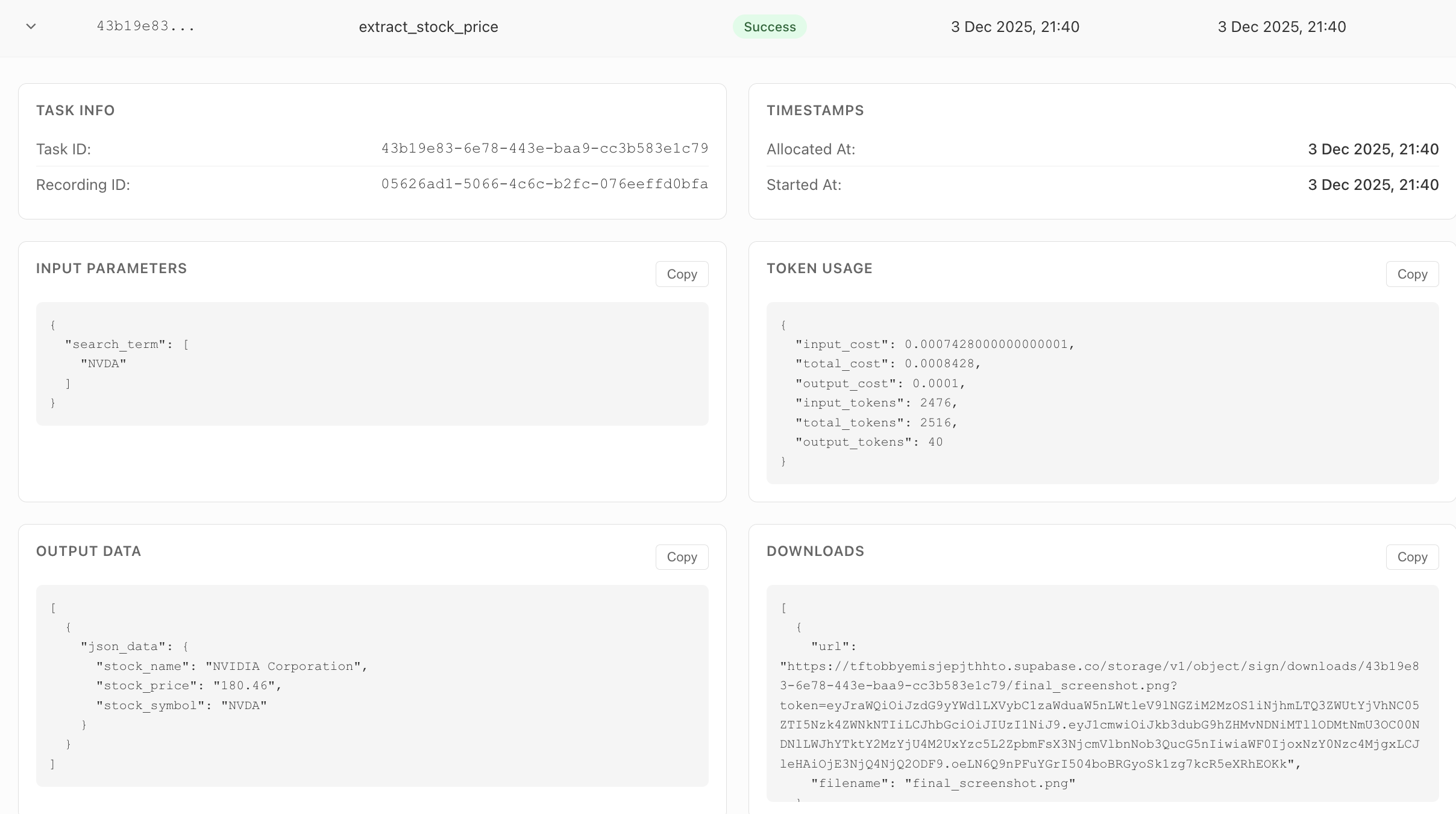
You can monitor the task on the dashboard. It will show the status, errors, outputs, and all the downloaded files.
## Video Tutorial
 ## Video Tutorial